How to get more Google reviews
Ask every happy customer, right after the job, with a link that opens the review box straight away. Make it a habit, not a campaign: two new reviews a week beats twenty in one month and none after.
Time needed: 15 minutes to set up, then 1 minute per customerWhy reviews matter for Google Maps
Google says local results depend on three things: how well you match the search, how far you are from the person searching, and how well known you are. For that last one, Google names how many reviews you have and your rating as signals. Google explains it here.
You can't move your office closer to every customer. You can get more reviews. Our free scan shows how your review count compares with the businesses that beat you in your area.
Step by step
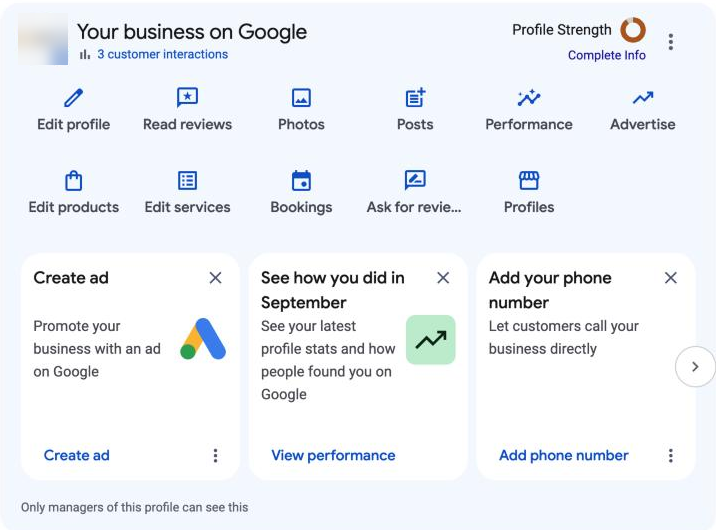
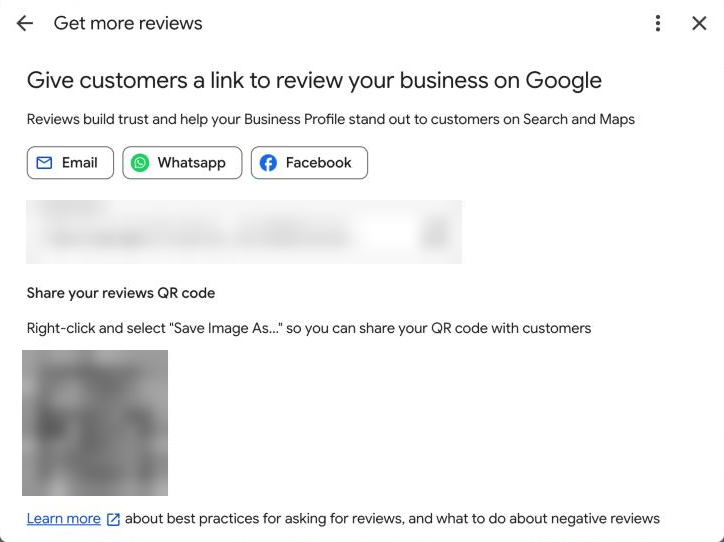
- Get your review link. Use our free review link tool, or search for your business on Google while signed in and choose Ask for reviews, then copy the link.
- Save it where you'll use it. Put it in your phone's text shortcuts, your email signature, your invoice template and your booking or job software.
- Pick your moment. Ask when the customer is happiest: the job is done, the problem is fixed, they've just said thank you.
- Ask in person first, then send the link. "Would you mind leaving us a quick Google review? I'll text you the link." A yes in person makes the text far more likely to be used.
- Send it the same day. A text works best for most trades. Use the ready-made messages on the link tool, or see what to say when you ask.
- Add a QR code where customers wait. A counter sign, the back of a business card or a leave-behind card. Our QR code tool makes a printable sign.
- Reply to every review. It shows the next customer you read them. See how to reply.
What Google doesn't allow
These can get reviews removed or your profile restricted. From Google's content policy:
- No rewards. No discounts, free items, gift cards or prize draws in return for a review, or for changing or removing one.
- No picking only happy customers. Google doesn't allow businesses to "selectively solicit positive reviews". Ask everyone, or ask in a way anyone can respond to.
- No discouraging bad reviews, and no setting staff targets for a number of reviews or for what they say.
- No reviews from staff, family or yourself. Reviews from people with a conflict of interest count as fake.
- No buying reviews, and no review swaps with other businesses.
Tip: Have customers review on their own phone. A shared tablet at the counter can look like one person writing many reviews, and Google's spam checks may remove them.
Make it a weekly habit
Set a number you can keep, like two a week. Check it every Monday. If you have staff who finish jobs, give them the link too and make asking part of signing off a job, without a quota on stars or numbers.
Steady new reviews matter as well as the total. A business whose last review is a year old looks less active than one with a review from last week, to customers and to Google.
If it isn't working
- Customers say they couldn't find where to leave it: you may be sending your profile, not the review box. Use a link that opens the review form directly.
- Reviews appear then vanish: Google's automatic spam checks remove some reviews, and Google says they occasionally catch genuine ones. Let customers review on their own phones, and contact Google support if real reviews keep disappearing.
- People say yes but don't follow through: send the link within an hour, and send one friendly reminder two days later. Don't chase more than once.
Questions
How many Google reviews do I need?
There's no magic number. What matters is how you compare with the businesses that show up above you for your main searches. Our free scan shows the review counts of the businesses beating you in your area.
Do customers need a Gmail account to leave a review?
They need a Google Account, but Google says it can be set up with any email address, not just Gmail.
Can I offer a discount for a review?
No. Google prohibits any payment, discount, free item or other reward in exchange for a review, even if you don't ask for a positive one.
Does replying to reviews help my ranking?
Google lists replying to reviews among its tips for local ranking. It also shows future customers that you're paying attention.