Why your business isn't showing on Google Maps
Check four things first: is your profile verified, is it suspended, have you made recent edits that are still being reviewed, and is it a new listing (up to a month)? If none apply, you're probably on Maps but ranking too low to see.
Time needed: 10 minutes to checkFirst, are you missing or just low?
Search Google Maps for your exact business name and town. If your profile appears, you're on Maps; you just aren't ranking for the searches customers use. Skip to reason 6. If nothing appears, start with reason 1. (If you can't find it, sign in to the Google Account that manages the profile and search again.)
The 7 common reasons
- Not verified. Google says only verified businesses show their information on Maps and Search. Open your Business Profile and look for a verify prompt, then follow it.
- Suspended or disabled. A profile that breaks Google's guidelines is hidden. Look for an email or notice in your profile, fix the cause and request a review. See Google's steps for suspended profiles. Common causes: keywords in the business name, a P.O. box or virtual office as the address, or a business type that isn't allowed.
- New profile. Google says new businesses can take up to a month to show in search results.
- Recent edits. Changing your name, address or category can trigger a review. Google says edits can take up to three days to show, and a big change may ask you to verify again.
- Service-area business with no address showing. If you hide your address, you're still on Maps, but there's no pin. Customers find you by searching, not by browsing the map.
- Wrong or weak categories. Google matches your primary category to searches. If you're listed as "Contractor" and customers search "roofer", you'll rank poorly. Check what categories the businesses above you use.
- Just ranking low. For broad searches, Google may show you only near your office. Fewer reviews, missing details and no recent photos or posts all hold you back. See how to check your real ranking.
Quick checks for your profile
- Business name exactly as on your sign and paperwork, with no added keywords or towns.
- Primary category is the most specific one for what you do; a few relevant extra categories.
- Hours, phone number and website filled in and correct.
- Services listed, and a description that names what you do and the towns you serve.
- Recent photos, and reviews coming in every week.
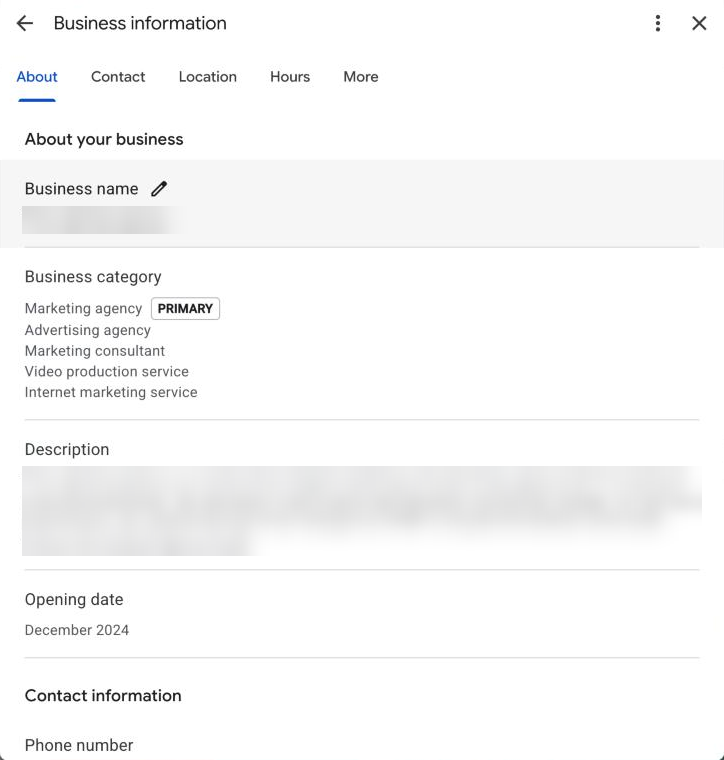
Google's own tips: keep your information complete and accurate, add photos, and reply to reviews (tips to improve your local ranking).
Questions
How long does it take a new business to show on Google Maps?
Google says it can take up to a month after the profile is set up and verified.
Why did my business disappear from Google Maps?
The usual causes are a suspension, a recent edit that sent the profile back for review, or a duplicate profile. Check your Business Profile and email for a notice from Google.
My business shows when I search the name but not for my services. Why?
You're on Maps, but not ranking for those searches. That's down to categories, reviews, distance and how complete your profile is. A grid scan shows where you rank and who's above you.